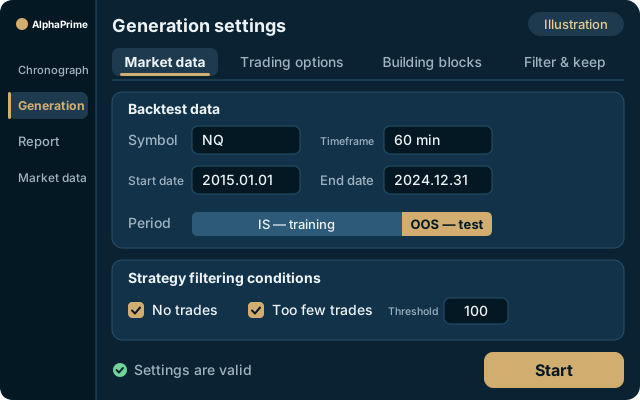

A strategy generator that searches nearly 100,000 trading rules
and builds your strategies automatically.
You pick the market, timeframe and direction. AlphaPrime picks rules from nearly 100,000 basic trading rules, varies their parameters and combines entries and exits — one GPU, about 1.2 billion evaluations in roughly 18 hours (measured) — and keeps the best for you.
Windows 10/11, 64-bit. Linux and Mac versions coming soon. · 7 days, no credit card required
Exports to six platforms: MultiCharts, TradingView, TradeStation, NinjaTrader, MetaTrader 4 and MetaTrader 5
Find combinations you would never think of
The rule library comes from hundreds of indicators, popular and obscure. The computer has no bias and tries combinations you would not think of.
You set the direction, it does the work
Choose indicators, long or short, sessions and holding time; switch off whole families you do not want.
Search and filter at the same time
Every candidate pays fees and slippage; anything below your thresholds is dropped, so the databank only keeps what is worth a look.
48 trading styles
Choose from 48 built-in trading styles. Before one is applied, every setting it changes is listed with its old and new value; save your own setup under My styles.
Data in three segments
The search runs on the IS training segment, the IS validation segment decides which strategies enter the databank and how they rank, and the OOS test segment is kept for the final check.
strategy evaluations in roughly 18 hours: measured on one RTX 3090 (TY 37-minute bars, 114,371 bars, fees and slippage included, 2026-10-05).
Why a GPU? A plane gets you to New York; a space of nearly 100,000 rules × parameters is Mars, and Mars takes a rocket.
Backtesting & validation
Every generated strategy is backtested straight away, with fees, slippage, next-bar execution and trading sessions, so AlphaPrime is also futures backtesting software. The strategies you keep are then tested on out-of-sample data and with walk-forward analysis.
See strategy validation →Read next: Strategy Generator Software Compared: What to Check Before You Choose
Set conditions, generate, filter
AlphaPrime automatically builds algorithmic futures trading strategies from the rules the user allows; the same generator also works with forex data. The process consists of three steps.
1. Set conditions
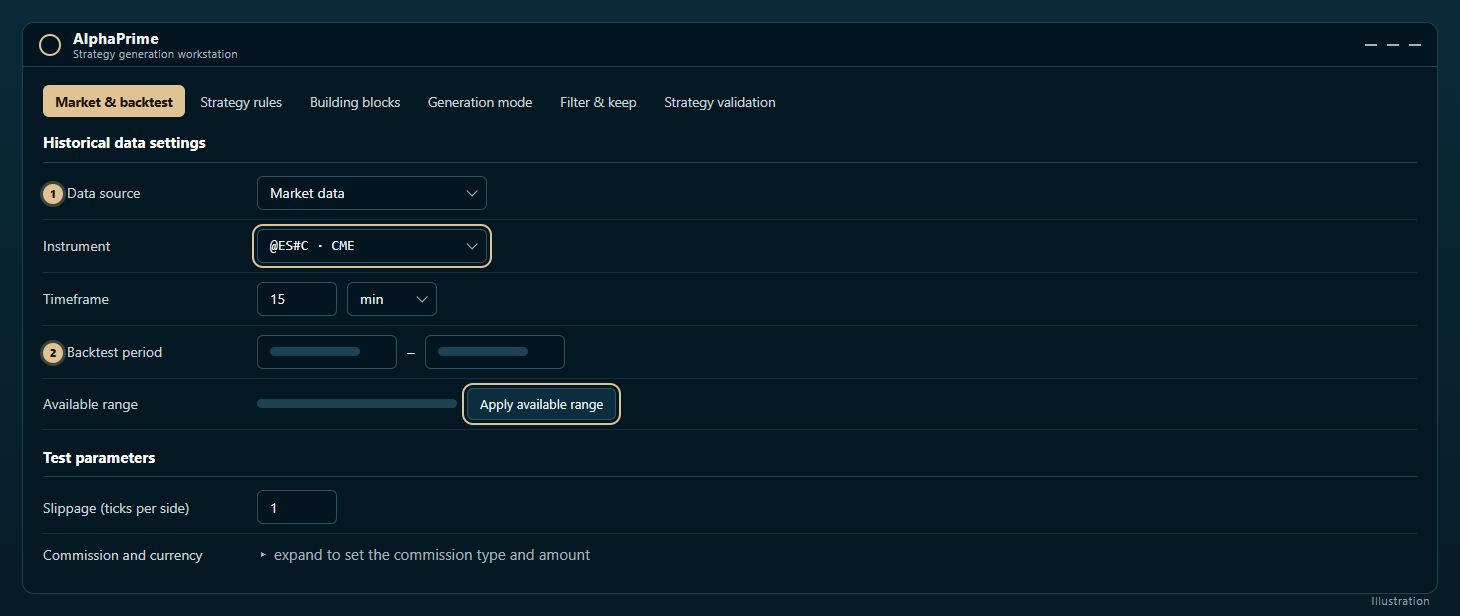
Select the market, the bar period (for example, ES 15-minute bars) and the backtest period. Set the trade direction (long only, short only, or long and short), the stop-loss and take-profit ranges, and the slippage and commission per contract. Under Building blocks, select the indicator families the generator may use; families you do not trust can be disabled as a group.
By default, the last 30% of the data is held back as out-of-sample (OOS) data. Keeping the default is recommended.
2. Generate
In the Chronograph, press Start generation. The generator selects rules from nearly 100,000, adjusts their parameters, pairs entries with exits, and backtests every candidate strategy with the configured costs. A run can be paused, resumed or stopped. A stop condition can also be set, for example ending the run automatically once 30 strategies have passed.
3. Filter
Filter & keep determines which strategies qualify to be kept and how they are ranked. Correlation filtering is enabled by default: a new strategy must have a correlation below 0.3 with the strategies already kept, which prevents the Strategy databank from filling with similar strategies. Strategies that pass the filters are then checked item by item according to the Strategy validation settings.
An example of how strict the filtering is: a run on ES 60-minute bars on 2026-10-15 evaluated 1,024 strategies; 250 passed the basic filters and 126 passed walk-forward analysis.
How 100,000 rules are searched
The search is not exhaustive. The rule library is derived from hundreds of indicators, every rule has parameters, and each strategy combines several rules with an exit. No hardware can enumerate this combination space one by one. The strategy generator uses a sampled search: it backtests each sampled combination and keeps only the strategies that meet the thresholds.
For this reason, the data is split into three segments. The search uses only the in-sample training segment. The in-sample validation segment determines whether a strategy enters the Strategy databank and how it is ranked. The out-of-sample data is held back until the strategy is complete and only then used for review. The wider the search, the more likely it is that excellent results appear purely by chance; the unused out-of-sample data serves to identify such strategies.
Comparison with hand-written rules
When rules are written by hand, every idea must be written, debugged, backtested and adjusted, which takes considerable time, and the results can only confirm ideas that were already accepted.
With a strategy generator, the user sets the boundaries and the system tries combinations that are difficult to conceive manually, including indicators not previously used. Some results may contradict existing trading intuition.
Where a rule has a clear market rationale (for example, a known session effect), hand-written rules still have the advantage; such strategies account for only a small share of the strategies actually in operation.
Automated futures trading strategies obtained in this way still require human review. In the Strategy source code tab, confirm that the conditions suit the characteristics of the session being traded, and review the trade list trade by trade before evaluating whether to use the strategy in a live account.
Starting with a narrow scope is recommended: one market, two or three familiar indicator families, and a stop condition of 30 strategies, tried hands-on in the free 7-day trial.
Generation settings
Settings: choose the symbol, timeframe, backtest period and filters.
Free 7-day trial